
The short answer
A CRM (customer relationship management system) is a shared record of everyone who has enquired or bought, what was said and what happens next. Businesses rarely fail at CRM because they chose the wrong brand. They fail because the system did not match how they sell, so nobody kept it up to date.
So the order matters. Understand your process, then choose the tool. We set these systems up for clients, and the projects that go well always start with a page of paper, not a product demo.
Decide whether you need one yet
A small team with a handful of enquiries a week can run on a well-kept sheet. The signs you have outgrown it are practical: enquiries forgotten, two people contacting the same customer, nobody able to say what is in the pipeline.
If you are unsure, our comparison of CRM vs spreadsheet sets out when the switch pays for itself.
Map your process before you look at products
Write down what happens between a first enquiry and a paid invoice. Keep it to one page.
- Where enquiries come from: forms, calls, email, messages, referrals.
- The stages a customer moves through, in your own words.
- Who is responsible at each stage.
- What information you need to do the job.
- Where things currently go wrong.
That page is your specification. Any system that cannot represent it is the wrong system, however many features it has. Our CRM workflow examples show what typical stages look like in different kinds of business.
The criteria that matter
| Criterion | Why it matters | What to ask |
|---|---|---|
| Fit with your process | People abandon tools that fight how they work | Can I rename the stages and fields to match ours? |
| Ease of use | A record nobody updates is worthless | Can someone add an enquiry from a phone in under a minute? |
| Connections | Retyping is where data gets lost | Does it connect to our website forms, email and calendar? |
| Reporting | You need to see the pipeline at a glance | Can I see enquiries by source and stage without building a report? |
| Your data | You may want to leave one day | Can I export everything, in a usable format? |
| Cost as you grow | Prices often rise with users and features | What will this cost with our full team and the features we need? |
Notice that a long feature list is not on it. Most businesses use a small part of any CRM. Pay for the part you will use.
Three broad kinds of CRM
General-purpose systems
Tools such as HubSpot cover contacts, deals, email and reporting in one place and suit most service businesses. They are flexible, widely supported and easy to find help for. We work with HubSpot among others.
Sales-pipeline tools
These focus on moving deals through stages and suit teams whose main need is to track and chase opportunities. They tend to be quicker to learn and lighter on marketing features.
Industry-specific systems
Some sectors have their own, built around how that trade works: property, recruitment, trades and others. They fit well out of the box and can be harder to connect to other tools. Check the connections before you commit.
Check the connections
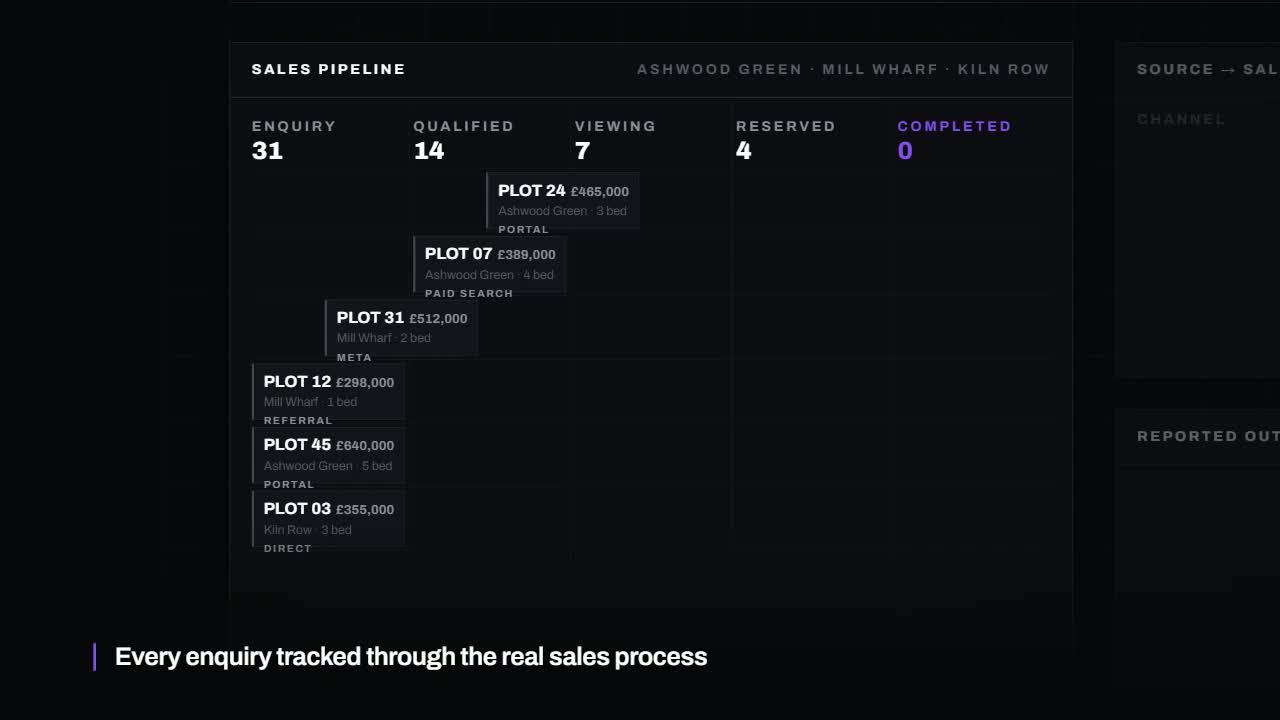
A CRM earns its keep when information arrives without anyone typing it. An enquiry from the website should create a record, tag its source and alert the right person. A booked call should appear against the contact.
Ask each supplier how their system receives enquiries from your website and what happens when that link breaks. Our guide on connecting your website, CRM and sales process walks through the joins. If you want it built for you, Storm's CRM automation service starts from the tools you already have.
Run a real trial
A demo shows the system at its best. A trial shows it with your mess. Take two or three options and test each the same way.
- Enter ten real enquiries, including an awkward one.
- Move them through your stages.
- Ask the least technical person on the team to use it for a day.
- Try it on a phone, away from a desk.
- Export the data and open the file.
The system the team reaches for without being asked is usually the right one.
Plan the move
Switching systems is where data is lost. Decide what comes across and what stays behind. Old, unqualified contacts rarely need to move. Clean the list before importing it, agree who owns each record and set a date after which the old sheet is no longer used.
Then train people properly. An hour with real examples, plus a one-page guide to your own stages, does more than any manual.
What it costs
CRM pricing usually depends on the number of users and the tier of features, with extras for things like automation or additional contacts. The headline price is rarely what you end up paying. Ask for a quote based on your full team and the specific features on your list.
Add the cost of setting it up and connecting it. A system that is cheaper each month but needs constant manual work is not cheaper.
A worked example
Take a building firm with three people in the office. Enquiries arrive by phone, a website form and recommendations. Stages are simple: new enquiry, site visit booked, quote sent, won or lost. The information that matters is the address, the type of job, the rough value and who visited.
That firm does not need marketing campaigns, lead scoring or a forecast dashboard. It needs every enquiry in one list, a reminder when a quote has had no answer for a week and a view of what is due this month. A light pipeline tool, connected to the website form, does the job. Paying for a larger system would add cost and screens nobody opens.
A recruitment agency of the same size would map a different page, with candidates and clients as separate records, and might find an industry system fits better. The method is the same. The answer is not.
Who should own it
A CRM needs one named owner inside the business. Not the supplier, and not everyone. That person decides the stages, keeps the fields tidy, removes duplicates and notices when people stop using it.
Without an owner, the system fills with half-finished records within months and the team returns to their inboxes. An hour a week from someone who cares about it is the cheapest part of the whole project and the part most often skipped.
Common mistakes
- Choosing by brand name or feature count.
- Buying before mapping the process.
- Paying for a tier whose features nobody will use.
- Importing every old contact, unsorted.
- Skipping training and hoping people work it out.
- Leaving the website unconnected, so enquiries are retyped.
Common questions
What is the best CRM for a small business?
The simplest one that matches your process and connects to your website and email. There is no single best product, which is why the trial matters.
Is a free CRM good enough?
Often, to begin with. Free tiers suit small teams with simple needs. Check what happens to price and features when you add users.
How long does it take to set one up?
A basic setup can be done in days. Connecting it to your website and building follow-up takes longer and depends on scope.
Can we change CRM later?
Yes, if you can export your data. Check that before you start, not when you want to leave.
What to do next
Write your one-page process this week. Shortlist three systems that can represent it, and put ten real enquiries through each.
Enquiries start at the website, so check that end too. Ask for our free 24-hour audit and a founder records a personal video walkthrough of your website within 24 hours, including what happens after someone enquires. No call is needed.
Want this applied to your website?
George or Nicholas will record a personal walkthrough of your site within 24 hours.
Not ready for an audit? See CRM automation.