
The short answer
In many businesses the website, the customer records and the sales process are three separate things held together by people copying information from one to the next. Connecting them means an enquiry enters once and flows through: the form creates the record, the record triggers the response, the response leads to a quote, and the result shows up in a report. Nothing is typed twice and nothing relies on memory.
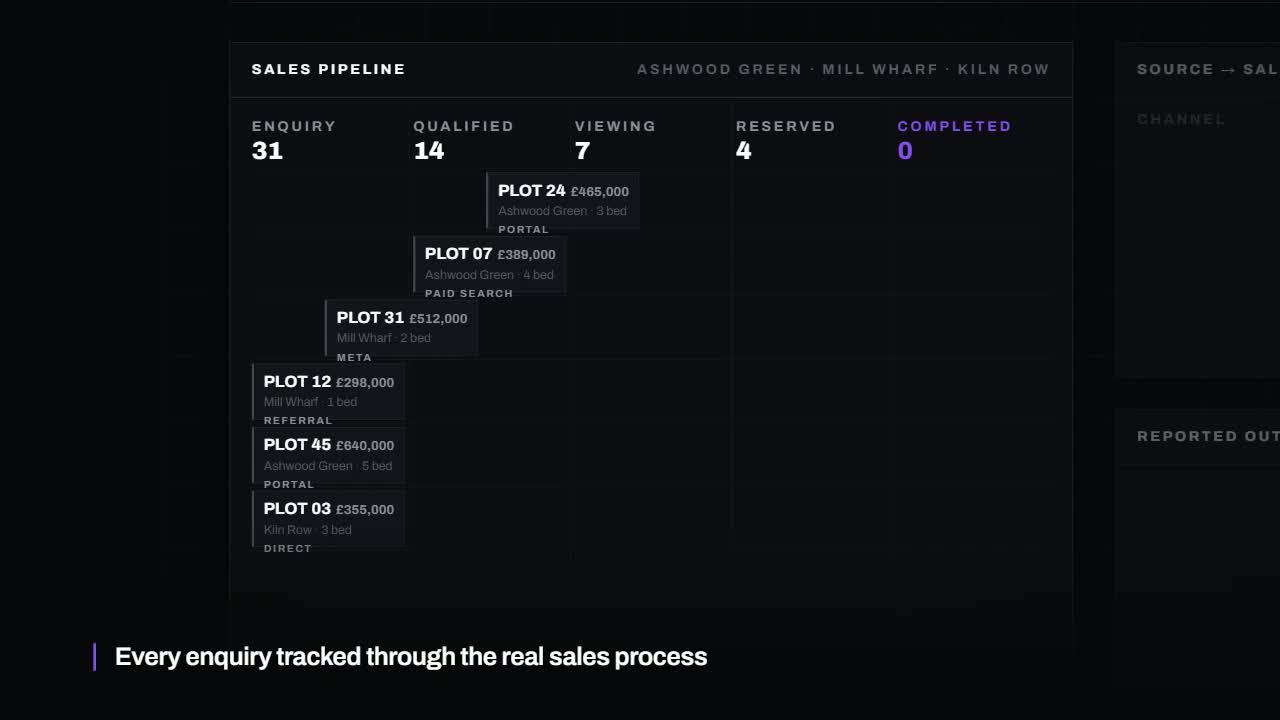
What a disconnected journey looks like
A visitor fills in the contact form. An email arrives in a shared inbox. Someone reads it on a phone, means to reply and gets pulled onto something else. Two days later a colleague forwards it. The details are typed into a spreadsheet, then again into a quoting tool, then again into the accounts package. Nobody recorded that the visitor came from a Google search for a specific service.
Each handover is a chance to lose the enquiry or introduce a mistake. And at the end of the month, nobody can say which marketing produced which work.
The connected journey, step by step
| Step | What happens | What it replaces |
|---|---|---|
| 1. Enquiry | The website form creates a contact and an enquiry in the CRM, including the page and source | An email to a shared inbox |
| 2. Acknowledgement | The customer gets an honest confirmation with a next step | Silence until someone has time |
| 3. Ownership | The enquiry is assigned and the owner is notified on their phone | Hoping someone picks it up |
| 4. Conversation | Calls, emails and notes are logged against the contact | Details scattered across inboxes |
| 5. Quote | The quote is created from the record and its follow-up is scheduled | Retyping details into another tool |
| 6. Outcome | Won or lost is recorded, with the value | Guesswork |
| 7. Reporting | Enquiries, conversion and value by source, automatically | A monthly afternoon with a spreadsheet |
Start with the form
The most valuable single connection is between the website and wherever enquiries are recorded. Keep the form short. Ask only for what you need to start a conversation. Make sure it works on a phone, shows a clear confirmation, and that the confirmation is true: test that the enquiry really arrives.
Capture where people came from
When the form is submitted, record the page it was on and how the visitor reached the site, whether a search, an advert, a referral or a direct visit. That one field is what later lets you say which activity is paying for itself. Without it, every marketing decision is a guess.
Let the record trigger the work
Once an enquiry exists as a record, the system can act on it: confirm receipt, assign an owner, create a task and remind someone if nothing happens. We cover the detail in how to automate lead follow-up, and the stage after the quote in how to automate quote follow-ups.
Do not forget the phone
For many businesses most enquiries still arrive by phone, and those are the hardest to track. At minimum, log calls against contacts. A missed-call text-back guide explains one way to stop unanswered calls disappearing entirely.
Close the loop with reporting
When the outcome and value are recorded against each enquiry, a simple report can show enquiries by source, how many became customers and what they were worth. That is the difference between knowing your website gets visitors and knowing it produces work.
How much of this do you need?
| Your situation | Sensible first step |
|---|---|
| Enquiries go to an inbox and nowhere else | Connect the form to one shared record |
| You have a CRM but type enquiries in by hand | Connect the form and capture the source |
| Enquiries are recorded but follow-up is patchy | Add acknowledgement, ownership and reminders |
| Follow-up is solid but you cannot see what works | Record outcomes and build the report |
You do not need all seven steps at once. Each one is useful on its own, and each makes the next easier.
What it costs
It depends on the tools you already have. Connecting a form to an existing CRM is a small job. Storm's published pricing sets out what each covers.
Common questions
Do we need to replace our website?
Usually not. Most modern websites can pass form submissions to another system. The exception is a site so old or locked down that nothing can be connected to it.
Which should come first, the CRM or the connection?
You need somewhere for enquiries to land, so the record comes first. Our CRM vs spreadsheet guide will help you decide what that should be.
What about data protection?
Tell people what you collect and why, collect only what you need, and agree where it is stored and for how long. Do not pass customer data through tools you have not assessed.
Where do we start?
By following one real enquiry from the form to the invoice and noting every time it is retyped or waits for someone. A free 24-hour audit can do that with you.
Want this applied to your website?
George or Nicholas will record a personal walkthrough of your site within 24 hours.
Not ready for an audit? See Automations and AI systems.