
The short answer
A builder's website has one main job: to let a serious client decide, in a few minutes, that you do their kind of project and are worth contacting. It needs to say what you build, show it, explain how you work and make enquiring easy.
Most building company sites fall short in the same way. They say too little about the size and type of work, and they show photos with no explanation. Use the checks below to find the gaps in yours.
The checklist at a glance
| What to check | Why it matters |
|---|---|
| Type and size of work stated on the home page | Deters small-job enquiries and reassures larger clients |
| Areas covered, by name | Clients and search engines both need to know where you work |
| Project pages with brief, scope and photos | Proof you have done a job like theirs |
| Process from enquiry to handover | Removes doubt about what happens next |
| Accreditations and insurance, current | Clients and their advisers check these |
| Named people with photos | Clients want to know who will run their job |
| Guidance on budgets or how you price | Filters poor fits before time is spent |
| Enquiry form with a few qualifying questions | Gives you what you need to reply well |
| Works properly on a phone | First visits are often on one |
This list is specific to building firms. For the pages any company site needs, see what a business website should include.
Say what you take on, and where
State the type and size of work plainly near the top of the home page. For example: extensions, refurbishments and new build homes for private clients, and fit-out for commercial landlords. If there is a size of job below which you do not usually quote, say so politely. It is the first thing good websites for builders get right, and one of the easiest changes to make.
Name the towns and areas you cover. 'Covering the county' is vague. A short list of the main towns, with a separate page for the ones that matter most, is clearer for the reader and for search engines. Our guide to SEO for builders explains how those pages should be written.
Project galleries with detail
This is where clients spend longest. Give each project its own page, not one wall of thumbnails.
- The brief: what the client wanted and why.
- The scope: what you built, including structural work, services and finishes.
- Duration in general terms, such as a few months on site.
- Constraints, such as restricted access or working around occupants.
- Photographs of the finished spaces, with a few taken during construction.
- The other professionals involved, with their agreement.
Group projects by type so a visitor can go straight to work like theirs. Get the client's permission, and keep addresses private unless they are happy to share. Strong project pages also support everything else you do to win work, as our guide on how to market a building company explains.
Explain the process from enquiry to handover
A client planning a large project is uneasy about what they are getting into. Set out the stages in plain words.
- First conversation and site visit.
- Quotation: what it is based on and roughly how long it takes to prepare.
- Contract and start date.
- Work on site: who runs it and how often you update the client.
- Variations: how changes are priced and agreed in writing.
- Completion, snagging and handover.
Keep statements about planning, building regulations, health and safety duties such as CDM, and consumer contracts general. What applies depends on the project and the client, so check your own obligations before you publish anything that reads like a promise.
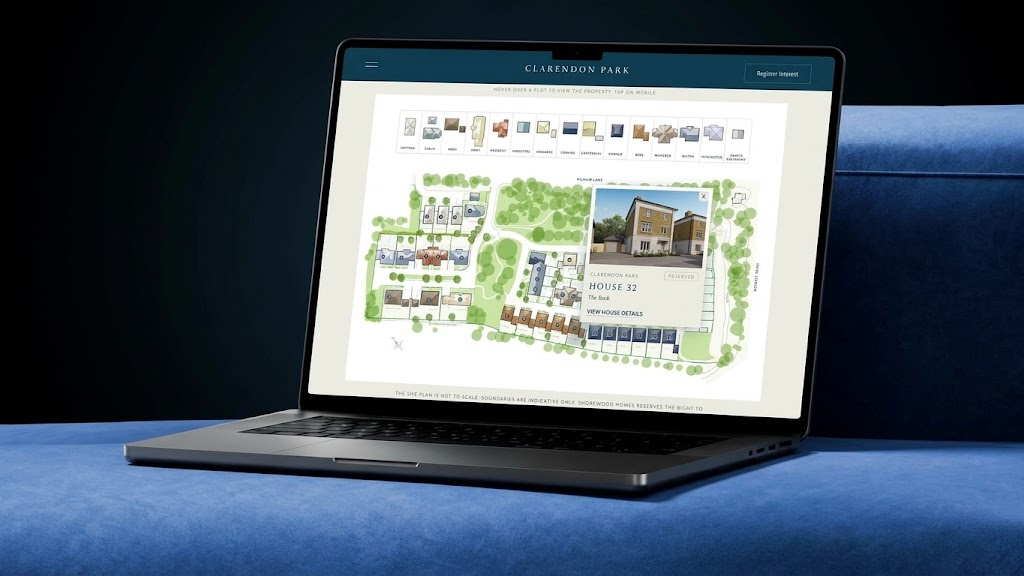
Proof and people
Accreditations and insurance
List the trade bodies, schemes and accreditations you belong to and the insurance you carry, such as public liability. Keep them current and remove any that lapse. Do not use a logo you are not entitled to use. If you are unsure what a membership allows you to claim, ask the body concerned.
Who the client will deal with
Show the directors, contracts managers and site managers by name, with a photo and a line on what each does. On a project that lasts months, the client is choosing people as much as a company. Add reviews and, where clients agree, a short comment beside the relevant project.
Budgets and how you price
You do not need a price list. You do need to help a visitor judge whether they are in the right place. You can explain what drives cost (size, structure, specification, access), describe how you prepare a quote and what you need first, or state the kind of budget your typical projects start from, if you are comfortable doing so.
Enquiry form and phone experience
Ask enough to qualify, and no more: name, contact details, postcode, type of project, rough budget range, ideal start and whether drawings or planning permission exist. Make budget and timing optional, or offer a 'not sure yet' choice, so nobody is put off. Let people attach drawings.
Then test the whole site on a phone. The number should be tappable, the form easy to complete with a thumb, photos should load quickly and project pages should read well without zooming. Check that a submitted form reaches someone who will answer it the same day.
Common mistakes
- A home page that says 'quality building services' and nothing more specific.
- One gallery of unlabelled photos.
- Accreditation logos that are out of date.
- No named people anywhere on the site.
- A long enquiry form with every field compulsory.
- A form that sends enquiries to an inbox nobody checks.
Common questions
Should we show prices on the website?
Fixed prices rarely suit building work, because every project differs. Explaining how you price and what affects cost is usually enough. Some firms state a typical starting budget to filter small jobs, which is your choice.
How many projects should we show?
Enough to cover each type of work you want more of, with real detail on each. A small number of well-documented projects tends to persuade better than a large number of bare photos.
Do we need a separate page for each service?
Usually, yes. A client looking for a commercial fit-out contractor and one planning a house extension want different information. Separate pages also help each service be found in search.
What does a site like this cost?
It depends on scope. At Storm, websites start from £2,500 for a small, focused site and most projects cost more, priced on scope and agreed in writing before work starts.
What to do next
Go through the table with your own site open on a phone. Mark each line as present, weak or missing, and fix the missing ones first.
If you would like someone else to do that, ask for our free 24-hour audit. A founder records a personal video walkthrough of your website within 24 hours, pointing out what a prospective client would notice. No call is needed, and a 15-minute call is optional.
Want this applied to your website?
George or Nicholas will record a personal walkthrough of your site within 24 hours.
Not ready for an audit? See Websites and systems for builders.