
The short answer
Automate the messages and admin that are the same every time, and keep people for anything that needs judgement. A confirmation, a reminder and a thank-you can run on their own. A complaint, a wedding enquiry or an allergy question should reach a named person quickly.
We built a café bar's website, booking flow and staff app, so this comes from doing the work. Automation here means software doing a set task when something happens, such as sending a text when a table is booked. It sits alongside good websites for hospitality, not in place of them.
Start with where bookings arrive
A workflow can only act on bookings it can see. If most of yours arrive through services you do not control, those services send their own messages and often keep the guest's details. Our comparison of direct bookings vs third-party platforms explains the trade-off.
The booking form on your own site comes first. If it is slow or confusing, nothing behind it will help. The hospitality website checklist covers what the site needs before any of this is worth building.
Phone calls matter too. If calls go unanswered during service, a missed-call text-back sends the caller a text so they know you will ring them, or can book online instead.
What can be automated
| Task | What the workflow does | Person needed? |
|---|---|---|
| Confirmation | Sends the booking details the moment a booking is made | No |
| Reminder | Messages the guest shortly before, with a way to cancel or change | For replies |
| Deposit | Requests payment for larger tables or events and records it | For disputes and refunds |
| Waitlist | Offers a freed table to the next person in line | Occasionally |
| Event enquiry | Acknowledges, gathers details and alerts the right person | Yes, for the reply |
| After the visit | Thanks the guest and asks for feedback | For any complaint |
| Rota and hours | Collects shifts and hours in one place | For approval |
Confirmations and reminders
An instant confirmation reassures the guest and cuts the calls asking whether the booking went through. A reminder shortly before the visit, with a simple way to cancel or change, tends to reduce no-shows. It turns a forgotten booking into a freed table you can offer to someone else. Keep both messages short: date, time, party size, address and how to change it.
Deposits
Deposits for large tables, peak dates or events can be requested and recorded automatically. State the amount and the cancellation terms clearly before the guest pays. Consumer law applies to deposits and cancellation charges, so keep the terms fair and check your own situation.
Waitlists
When a table is cancelled, a waitlist workflow can offer it to the next person and hold it for a short time. This works best on peak nights, when demand is higher than space.
Private hire and event enquiries
Event enquiries are worth more than a single table and are easily lost in a general inbox. A form that asks for the date, numbers and type of event can send an immediate acknowledgement and alert the person who handles events, with everything they need to reply properly.
After the visit
A short thank-you the next day can ask how the visit was and, with permission, invite the guest to hear about future events. Route any unhappy reply straight to a manager. Marketing messages are covered by UK GDPR and PECR, so be clear about what people are signing up to and check the rules for your case.
Staff rota and hours
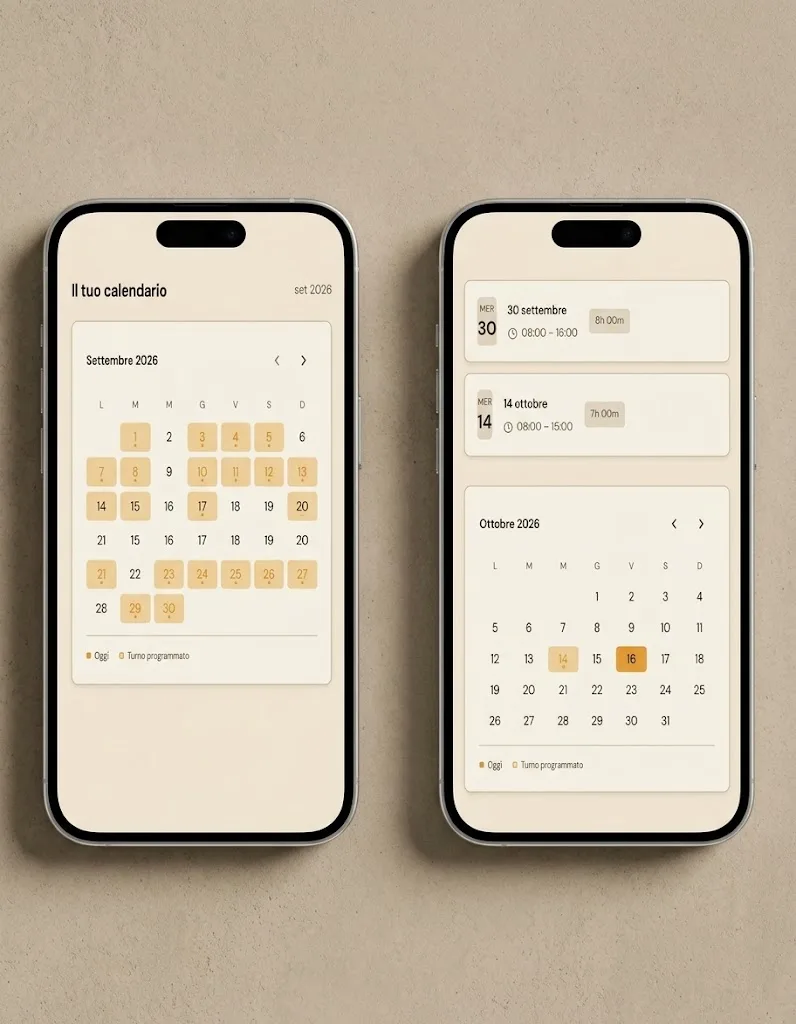
Admin behind the scenes can be automated too. Shifts, hours worked and holiday requests can be collected in one app instead of on paper and in group chats, with a manager approving the result. It saves time at the end of each week and reduces disagreements about hours.
What should stay human
- Complaints. An automatic reply to an upset guest makes things worse. Alert a manager and reply personally.
- Large events and weddings. The acknowledgement can be automatic. The conversation should not be.
- Allergies and dietary needs. Flag them to the kitchen and a named person, and follow the food information rules that apply to you. Software should never confirm that a dish is safe.
- Refunds and disputes over deposits.
- Anything unusual, such as an access need or a request the system does not recognise.
How to start with one workflow
Pick the task that costs the most time or loses the most bookings. For many venues that is the reminder. Build that one, run it for a few weeks and check it does what you expect before adding another.
- Write down what happens now, step by step, including who does it.
- Decide the trigger, such as a new booking, and the action, such as a text.
- Write the message in your own voice and keep it short.
- Test it with staff bookings before guests see it.
- Name one person who owns it and checks it weekly.
Tools such as Zapier, Make and n8n can connect a booking system to email, text and a spreadsheet or app. Many booking systems also have confirmations and reminders built in, so check what you already pay for before adding anything.
Planning for failure
Every automated process fails at some point. A message does not send, a payment link expires, a form changes. Plan for it before it happens.
- Send an alert to a person when a step fails, not only an entry in a log.
- Keep a manual fallback, such as a written procedure for taking bookings by phone.
- Give guests a way to reach a person from every automated message.
- Check a sample of messages each week to see they are still correct.
- Review the wording whenever hours, menus or terms change.
Common mistakes
- Automating everything at once and not knowing which part broke.
- Reminders with no way to cancel, so the table stays empty.
- Sending marketing to guests who only gave details for a booking.
- Stiff wording that sounds nothing like the venue.
- Letting an automatic reply answer a complaint or an allergy question.
- No one named as responsible when a workflow fails.
Common questions
Will automation make us seem impersonal?
Not if the messages are written well and a person is easy to reach. Guests tend to value a prompt confirmation and a clear reminder. The personal part is the welcome when they arrive.
Do we need a new booking system?
Not always. Many systems already offer confirmations and reminders, and others can be connected to separate tools. Start with what you have and add only what is missing.
What does it cost?
Our automation starts from £999 per workflow. Booking systems and messaging tools charge separately, and their costs vary by provider.
Is it safe to take deposits automatically?
Use an established payment provider and do not store card details yourself. Make the terms clear before payment and keep a record. For anything disputed, a person should decide.
What to do next
List every message your team sends by hand around a booking this week. Mark the ones that are identical each time. Those are your candidates, and the one sent most often is usually the place to start.
If you want a view on where your website and booking flow lose people, ask for our free 24-hour audit. A founder records a personal video walkthrough of your website within 24 hours. No call is needed, and a 15-minute call is optional.
Want this applied to your website?
George or Nicholas will record a personal walkthrough of your site within 24 hours.
Not ready for an audit? See Websites and systems for leisure and hospitality.