
The short answer
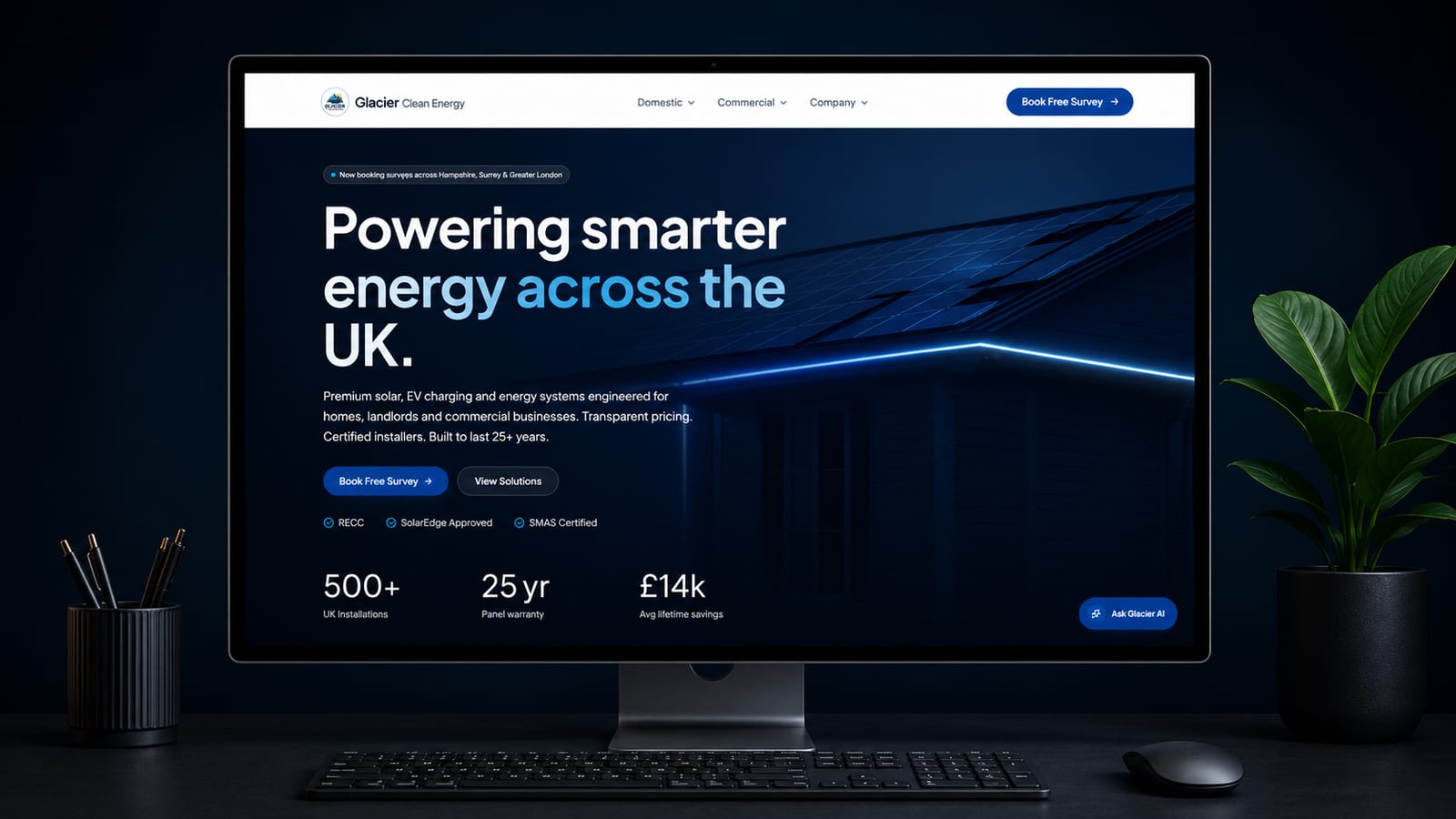
An installer's website has one main job: to turn a cautious visitor into a booked survey. To do that it must say plainly who you install for and where, explain each technology in the buyer's terms, prove you are certified and real, and make the next step obvious on a phone.
We built the brand and website for a clean energy business, so this comes from doing the work. The points below are the ones we look at first when planning websites for renewable energy companies.
The checklist at a glance
| What to check | Why it matters |
|---|---|
| Who you install for and where, on the home page | Visitors leave if they cannot tell whether you serve them |
| A page for each technology | Buyers often research one technology at a time |
| The process from survey to commissioning | Removes fear of the unknown |
| Certification and warranties shown accurately | Builds trust and keeps you within your scheme's rules |
| Real installations with detail | Proof that you do the work you describe |
| Guidance on cost and what affects it | Buyers want a sense of scale before a survey |
| Careful, substantiated claims | Savings claims are regulated advertising territory |
| A clear route to booking a survey | It is the main action on every page |
| Separate journeys for homeowners and businesses | They ask different questions |
| A good phone experience | Many buyers research on a phone |
This list is specific to installers. For the pages every company needs, see what a business website should include.
Who you install for and where
Say it on the first screen: what you install, for whom and the areas you cover. Name the counties and towns you actually serve. If you only take commercial work, or do not fit heat pumps, say so. Clear limits save everyone time and make the right visitor more confident.
The site sits at the centre of everything else you do. Our guide on how to market a solar installation company explains how local search, reviews and referrals all send people to it.
A page for each technology
Give solar PV, battery storage, heat pumps and EV chargers a page each, written for the buyer and not the engineer. Each page should answer the same core questions.
- What it is and how it works, in a few plain sentences.
- Who it suits, and who it does not.
- What the installation involves and how long it usually takes.
- What affects the cost.
- What warranties and aftercare come with it.
- How it works with the other technologies you fit.
- The next step: book a survey.
Avoid copying manufacturer brochures. Buyers have seen them. What they have not seen is your explanation, your photos and your process. Pages like these also bring in people at the research stage, one of the sources covered in our guide to solar lead generation.
How the process works
Most buyers have never bought a system like this. Set out the steps in order: enquiry, survey, design and quote, any applications or notifications, installation, commissioning, handover and aftercare. Say who they will deal with at each stage and roughly how long each takes on a typical job. If you publish lead times, keep them current. A short numbered list does this better than long paragraphs, and it gives your team something to point to on a call.
Trust: certification, warranties and real installs
Certification and warranties
Show the certification and consumer code memberships you hold, in the way the schemes allow, and keep them up to date. Do not display a logo for something that has lapsed or that covers a technology you are not certified for. Explain warranties in plain words: what the manufacturer covers, what your workmanship cover includes and who the customer calls if something goes wrong. Check the rules of MCS and your consumer code for how these should be presented.
Real installations with detail
A gallery of rooftops proves little. A short write-up proves a lot: the town, the property type, what was fitted, any difficulty you solved and a comment from the customer if they are happy to give one. Show a mix of jobs, so that a visitor with an awkward roof or an older house can find one like theirs. Use your own photos, and ask permission before publishing anything that identifies a home.
Cost guidance and careful claims
Buyers want to know roughly what they are getting into, and hiding cost entirely makes them wary. You do not have to publish a price list. Explain what moves the figure up or down: system size, roof type and access, scaffolding, battery capacity, the existing electrics and, for heat pumps, the current heating system. Then say that the survey produces a firm quote.
Be careful with savings, payback and performance. Make only claims you can substantiate, show the assumptions behind any estimate and avoid figures that could not apply to the person reading. Advertising rules and your certification and consumer code bodies all have something to say here, so check your own situation. Grants and schemes change, so point to the official source instead of restating terms. This is not legal advice.
Booking a survey, on any device
A clear route to a survey
Every page should lead to the same action, in the same words: book a survey. Nobody should have to hunt through a menu for it. Keep the form short, say what happens after it is sent and offer a phone number for people who would rather talk. Confirm receipt at once.
Separate journeys for homeowners and businesses
A homeowner wants reassurance and a simple process. A business wants a commercial argument, references from similar sites and to know how you will work around its operations. Give each a clear path from the home page, with its own pages and its own enquiry form.
Phone experience
- Text is readable without zooming and buttons are easy to tap.
- The phone number can be tapped to call.
- The survey form works with a thumb and does not ask for too much.
- Pages load quickly on mobile data. Large install photos are a common cause of slow pages.
- The button to book a survey stays easy to find as you scroll.
Common mistakes
- Stock photos of panels instead of your own installs.
- One services page covering four technologies.
- Certification logos that are out of date or do not apply.
- Savings figures with no assumptions shown.
- Old grant details left on the site.
- A contact page as the only way to enquire.
Common questions
Should we show prices?
Show what affects the price. Publish typical ranges only if you can keep them accurate and explain what is included. A firm figure should come from a survey.
Do we need a savings calculator?
Only if you can substantiate what it shows and explain its assumptions. A poor calculator creates claims you may have to defend. A clear explanation followed by a survey is often safer and more useful.
How many pages do we need?
Enough to cover each technology, each audience, your process, your proof and your areas. For most installers that is a focused site, not a huge one. Depth on the pages you have matters more than page count.
What does a site like this cost?
Our websites start from £2,500 for a small, focused site, and most projects cost more. The price depends on scope and is agreed in writing before work starts.
What to do next
Open your site on your phone and go through the table above as a first-time visitor would. Mark each line yes, partly or no. The gaps are your to-do list, and the trust and booking lines usually come first.
If you would like someone else to do that for you, ask for our free 24-hour audit. A founder records a personal video walkthrough of your website within 24 hours and tells you what to fix first. No call is needed.
Want this applied to your website?
George or Nicholas will record a personal walkthrough of your site within 24 hours.
Not ready for an audit? See Websites and systems for renewable energy companies.