
The short answer
Marketing automation is not a robot doing your marketing. It is a set of small rules: when this happens, do that. When a form arrives, reply and tell the right person. When a quote has had no answer for a week, send a polite follow-up.
Done well, no enquiry waits and nobody has to remember to chase. We build these workflows, so this guide comes from doing the work. At Storm, automation starts from £999 per workflow.
What it actually is
Every workflow has the same four parts. Once you can see them, you can describe what you want in plain words, which is most of the job.
| Part | What it means | Example |
|---|---|---|
| Trigger | The event that starts the workflow | A website form is submitted |
| Rule | The condition that decides what happens | The enquiry is for a service you offer in that area |
| Action | What the system does | Sends a reply and creates a record |
| Handover | The point where a person takes over | The owner of the enquiry phones back |
The handover matters most. A workflow with no clear moment where a person steps in tends to produce polite messages and no sales.
What to automate first
Start where money is leaking, not where the software is cleverest. Our list of processes to automate before hiring is a useful checklist to hold against your own business.
- An instant acknowledgement of every new enquiry, with a prompt to the person who owns it.
- A text to anyone whose call you could not answer.
- A follow-up when a quote has gone quiet.
- Reminders before appointments, surveys and visits.
- A review request after a finished job.
- A check-in with old enquiries that never went ahead.
For most businesses the first one is the reply to a new enquiry. Our guide on how to automate lead follow-up sets out the steps and the wording.
What to keep human
Software is good at speed and memory. It is poor at judgement. Keep people in charge of anything where tone, context or money is at stake.
- Complaints and anything that sounds upset.
- Price negotiations and unusual requests.
- The first real conversation with a serious buyer.
- Any decision about a person, such as a candidate or a credit check.
The tools involved
You need somewhere to keep the records, something to run the rules and a way to send messages. The record is usually a CRM such as HubSpot. The rules run in a workflow tool such as Zapier, Make or n8n. Messages go by email, text or WhatsApp.
The tool matters less than the join between them. Our CRM workflow examples show what a connected pipeline looks like, stage by stage. If your team already uses a system that can do the job, build on it before buying another.
What to check before it goes live
A workflow that fails silently is worse than no workflow, because everyone assumes it is working. Test each one with real data before customers meet it.
- What happens when a step fails, and who is told.
- Whether the same person could receive the same message twice.
- Whether messages stop the moment someone replies or opts out.
- Whether the sending hours are sensible.
- Whether you have a lawful basis for each message. UK rules on electronic marketing apply, so check your own situation. This is not legal advice.
Ask for the running costs in writing too. Some tools charge a subscription and some charge per message, and those should be itemised, not assumed.
How to tell whether it is working
Measure outcomes, not activity. The number of emails sent tells you nothing. Look at how quickly a new enquiry gets its first reply, how many quotes receive a follow-up, how many appointments are kept and how many jobs are won. Compare a month before with a month after.
A worked example: one new enquiry
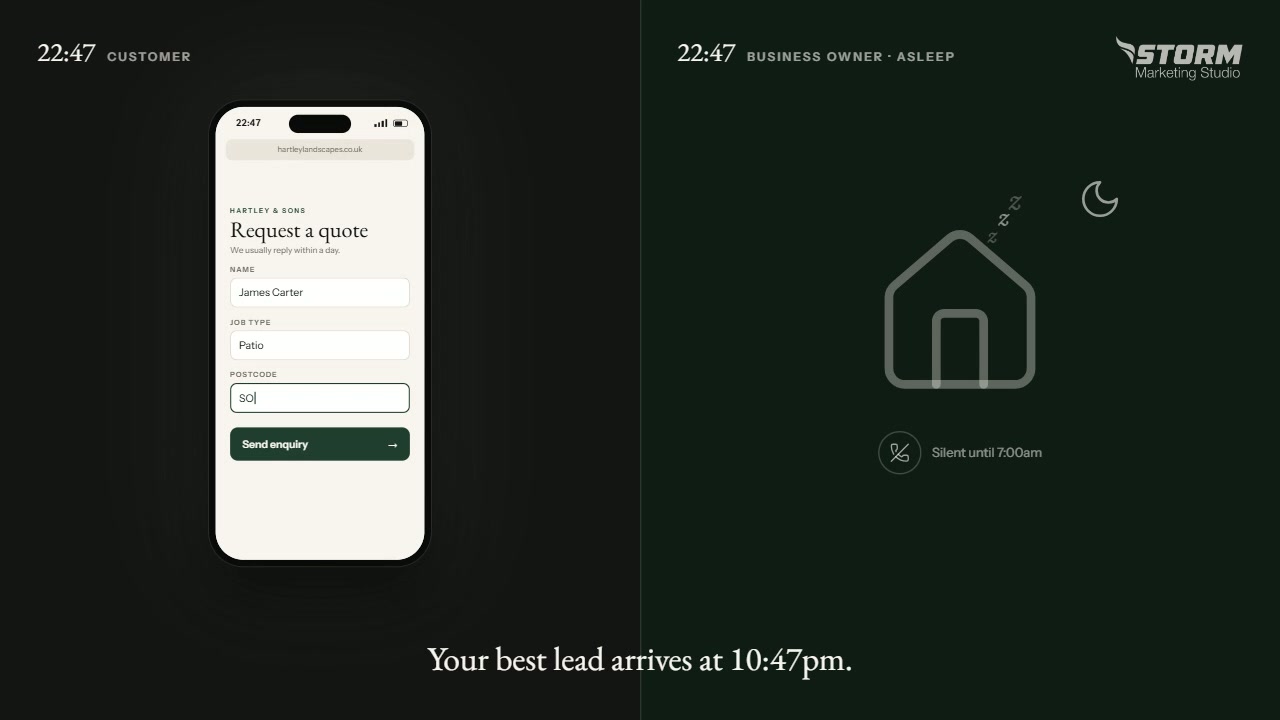
Picture a form arriving at ten at night. Without a workflow, it sits in an inbox until someone opens it the next morning, by which time the customer may have contacted two other firms.
With a workflow, four things happen in the first minute. The customer gets a short message saying the enquiry has arrived, who will reply and when. A record is created with their details and where they came from. The person who owns that kind of enquiry gets a notification on their phone. A task appears for the morning.
If nobody has replied by midday, the owner gets a reminder. If a quote goes out and a week passes in silence, the customer gets one polite follow-up. Every one of those steps is a rule somebody wrote down once. None of them replaces the phone call, which is where the job is won.
Where AI fits
Artificial intelligence can add judgement to a workflow that plain rules cannot. It can sort enquiries by type, draft a first reply for a person to check, or summarise a long message into two lines.
It also makes mistakes with confidence. Use it for drafting and sorting, keep a person approving anything that reaches a customer, and never let it invent a price, a date or a promise.
Common mistakes
- Automating a process that does not work by hand yet.
- Building ten workflows at once instead of one that is tested.
- Messages that pretend to be personal and fool nobody.
- No alert when a workflow breaks.
- Forgetting to stop the sequence when the customer replies.
Common questions
Is marketing automation only for large companies?
No. A small team often gains the most, because there is nobody spare to chase. One or two workflows can cover the follow-up that otherwise depends on memory.
Will customers know a message is automatic?
Often, and that is fine if the message is useful and plain. An instant acknowledgement that says who will reply and when is welcome. Pretending a template is a personal note is what irritates people.
Do we need a CRM first?
You need one reliable record of enquiries. That can be a CRM or, to begin with, a well-kept spreadsheet. Without it, the workflow has nothing dependable to read from or write to.
Can it replace answering the phone?
No. A text after a missed call can keep the conversation alive, but a person still has to reply and call back.
What to do next
Pick the one place where enquiries are being lost this month. Write it down as trigger, rule, action and handover. That page is your brief, whoever builds it.
If you would like a view from outside, ask for our free 24-hour audit. A founder records a personal video walkthrough of your website within 24 hours, including what happens after someone enquires. No call is needed.
Want this applied to your website?
George or Nicholas will record a personal walkthrough of your site within 24 hours.
Not ready for an audit? See Automations and AI systems.